Konstruct Platform: Team Responsibilities Overview
This diagram illustrates the separation of concerns between the Platform Admin Team (green) and the downstream Engineering (blue) in a Konstruct-managed Kubernetes platform.
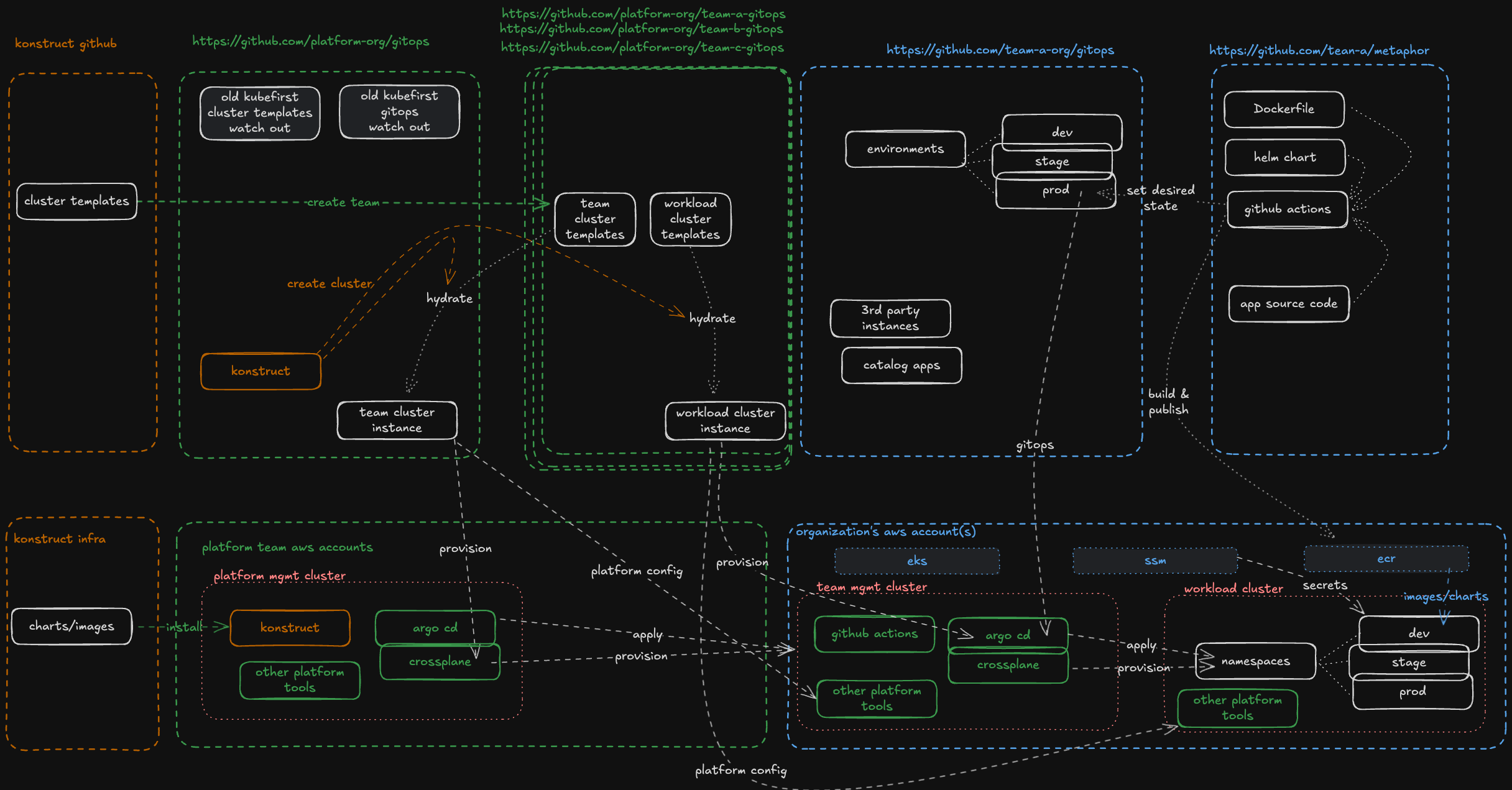
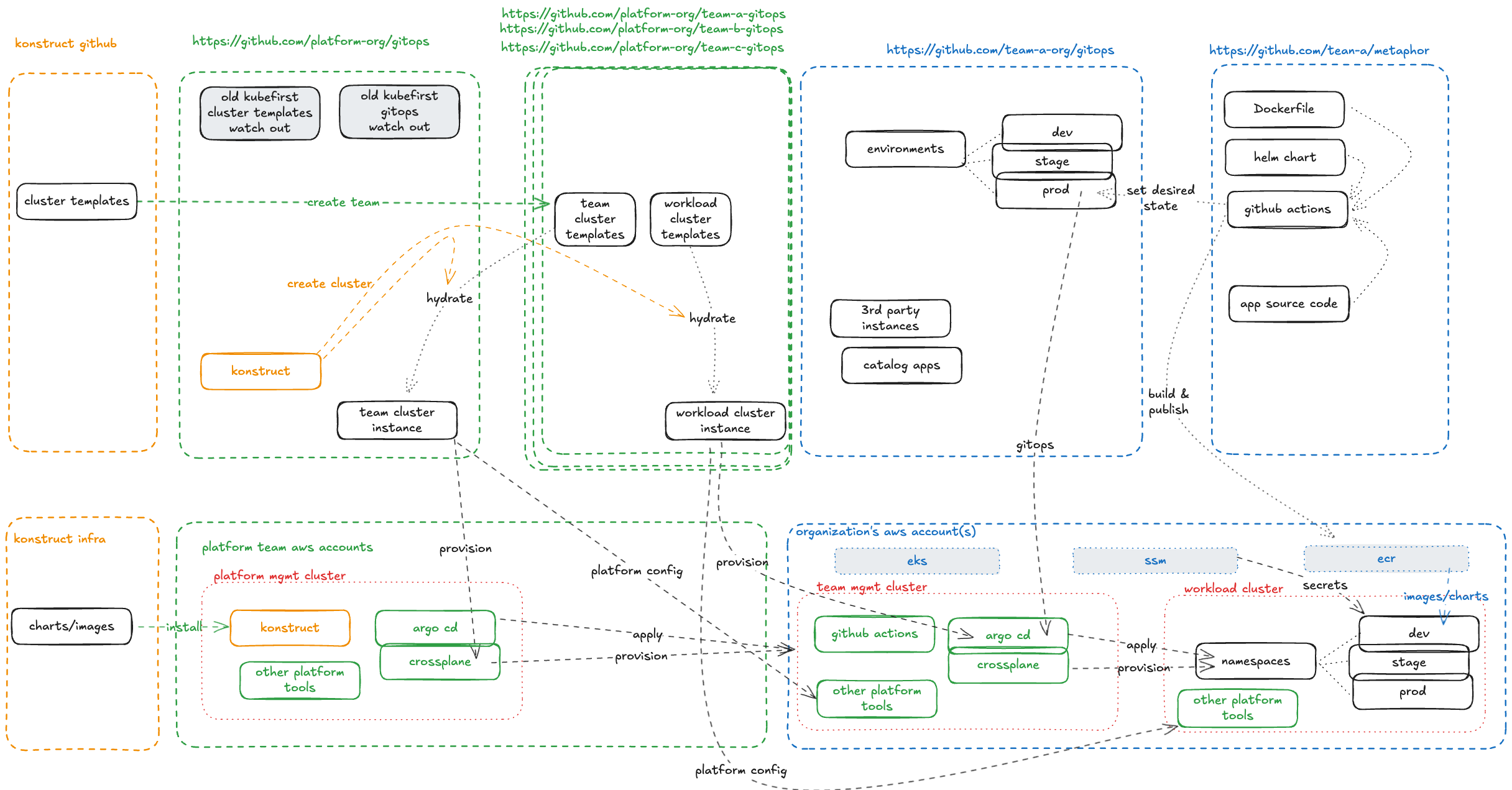
Color Key
| Color | Owner | Scope |
|---|---|---|
| Orange | Konstruct | Upstream templates and infrastructure — consumers reference but don't manage |
| Green | Platform Admin | Management ecosystem, cluster provisioning, platform tooling |
| Blue | Engineering | Applications, environments, and delivery to workload clusters |
Platform Admin Responsibilities
The platform admin team operates the management ecosystem, which includes:
Git Layer
- Maintains the platform team gitops repo with cluster templates
- Provisions team cluster instances and workload clusters from registered upstream templates
- Manages platform tools configuration and catalog apps
Infrastructure Layer
- Runs the management cluster with Konstruct, Argo CD, and Crossplane, among other tooling
- Provisions new organizations, cloud accounts, and team management clusters
- Installs and manages platform tools on all management, physical and virtual clusters
- Controls the GitOps delivery pipeline for platform-level concerns
Engineering Team Responsibilities
Engineers receive ready-to-use workload clusters with platform tools pre-installed. Their focus:
Git Layer
- Owns the engineering org gitops repo for environment definitions (dev/stage/prod)
- Owns application repos containing Dockerfiles, Helm charts, and source code (auto-generated with registry)
- Registers environments and applications for delivery
Infrastructure Layer
- Uses provisioned EKS clusters and ECR for container images
- Deploys applications across namespaces (dev/stage/prod) via GitOps
- Leverages platform tools without managing them
The Handoff
The platform admin team hydrates upstream templates to create cluster configurations, then provisions infrastructure. Engineers receive clusters with everything wired up — secrets management, ingress, cert-manager, external-dns — and simply register their apps and environments to start delivering.
Argo CD Project Boundary and Git Isolation Layers
Konstruct provides deep isolation boundaries by enforcing project RBAC controls at each layer. This prevents engineers from delivering to unsanctioned namespaces that belong to either a team in the same organization or to the platform team's managed resources. The GitOps repository separations allow platform teams the controls they need for future downstream team collaborators with an eye toward the visibility concerns and requirements of such a mutitenancy ecosystem.
ArgoCD Project Structure
Each cluster deployment includes three ArgoCD application projects that provide different permission levels for workload physical and virtual clusters. For any given cluster, the following projects are created:
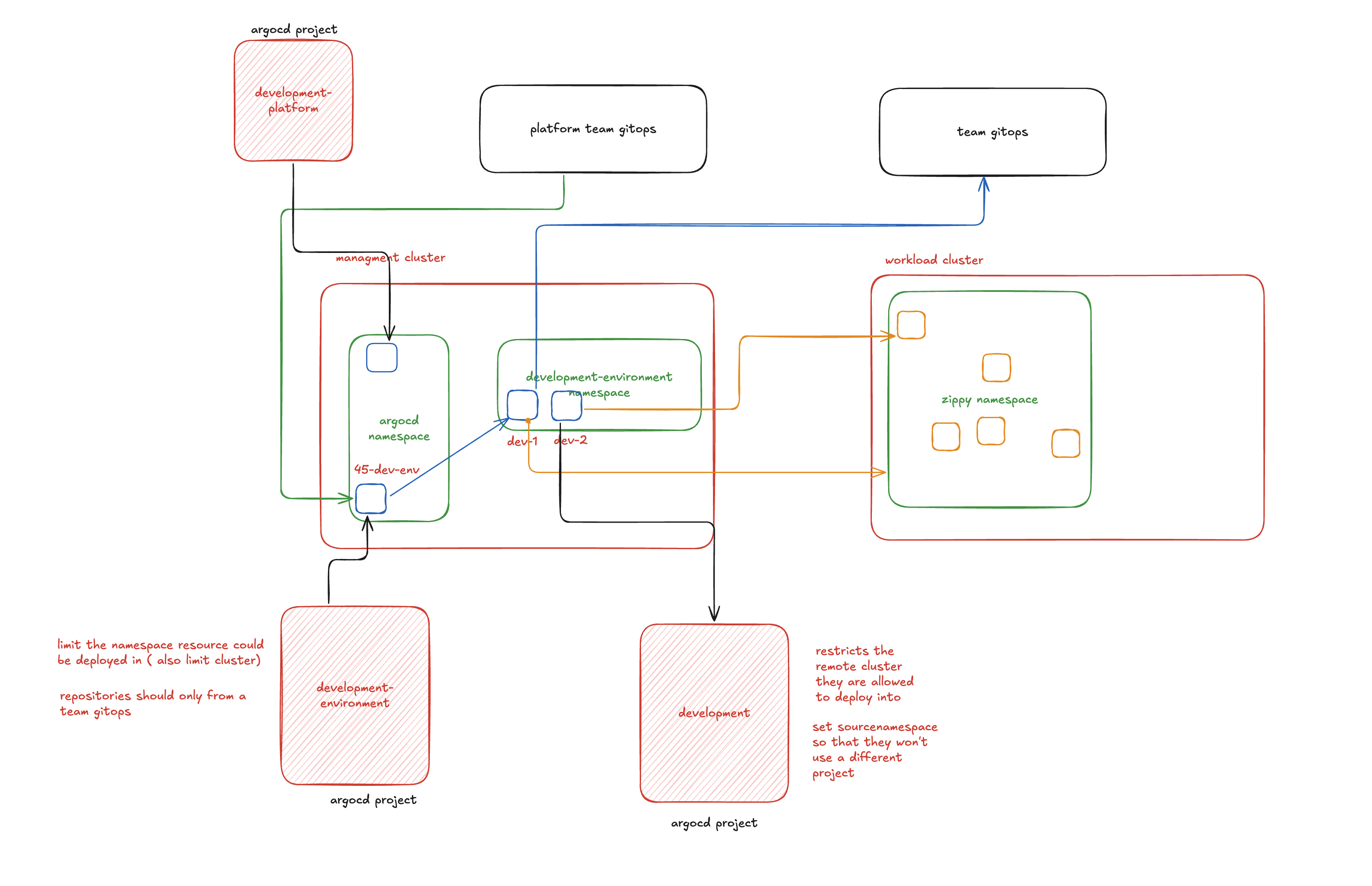
1. Platform Project (<cluster-name>-platform)
This project is used for deploying platform-related applications and has the widest set of permissions. It's managed by the platform admin team for installing and configuring platform tools across the cluster.
2. Environment Project (<cluster-name>-environment)
This project has limited permissions with specific restrictions:
- Source repositories: Only team application GitOps URLs are allowed
- Namespace restrictions: Limited to
<cluster-name>-environmentnamespace pattern - Purpose: Used by environment files (like
45-dev.yaml) to ensure all applications deployed within that environment inherit the same permissions
This project leverages ArgoCD's app-in-any-namespace feature, which ties any application in that environment to use the cluster-specific project permissions below.
3. Cluster Project (<cluster-name>)
This project has the most restrictive permissions:
- Source URL: Must be the application GitOps repository
- Destination cluster: Must match the cluster name it's deployed against
- Scope: Used for individual application deployments with strict isolation
This three-tier project structure ensures proper separation of concerns while maintaining security boundaries between platform operations, environment management, and application deployments.
Pipeline Templates
Konstruct provides flexible CI/CD pipeline templates to support different application build and deployment needs. By default, application registration uses workflows from the konstruct-templates repository.
Custom Templates
While default templates work for most use cases, you may need custom workflows for:
- Different CI systems beyond GitHub Actions
- Specialized build processes for specific application types
- Alternative deployment strategies
You can register custom workflow templates and select them during application registration, providing flexibility while maintaining the GitOps delivery model.
Default Workflow Templates
Konstruct includes two primary workflow templates:
1. Publish Workflow (publish.yaml)
Purpose: Builds and publishes application artifacts
Requirements:
- Dockerfile present in the application repository
Functionality:
- Creates AWS role ARN configured for GitHub Actions
- Builds container images from Dockerfile
- Packages Helm charts
- Pushes both artifacts to Amazon ECR
2. Deploy Workflow (deploy.yaml)
Purpose: Manages application deployments across environments
Features:
- Workflow dispatch trigger with environment stage selection
- Version-based deployment targeting
- Updates application versions across all clusters in selected environments
Process:
- Triggered with specific version and environment parameters
- Executes workflow
update-environment.yamlin the application's GitOps repository - Synchronizes the specified application version across all clusters in the target environment