Application Dashboard
The application dashboard provides a centralized view of all applications managed through your GitOps workflow.
Viewing Applications
To view applications, select your Organization from the dropdown. This displays all management cluster applications for that organization.
This image is automatically generated from Cypress tests.
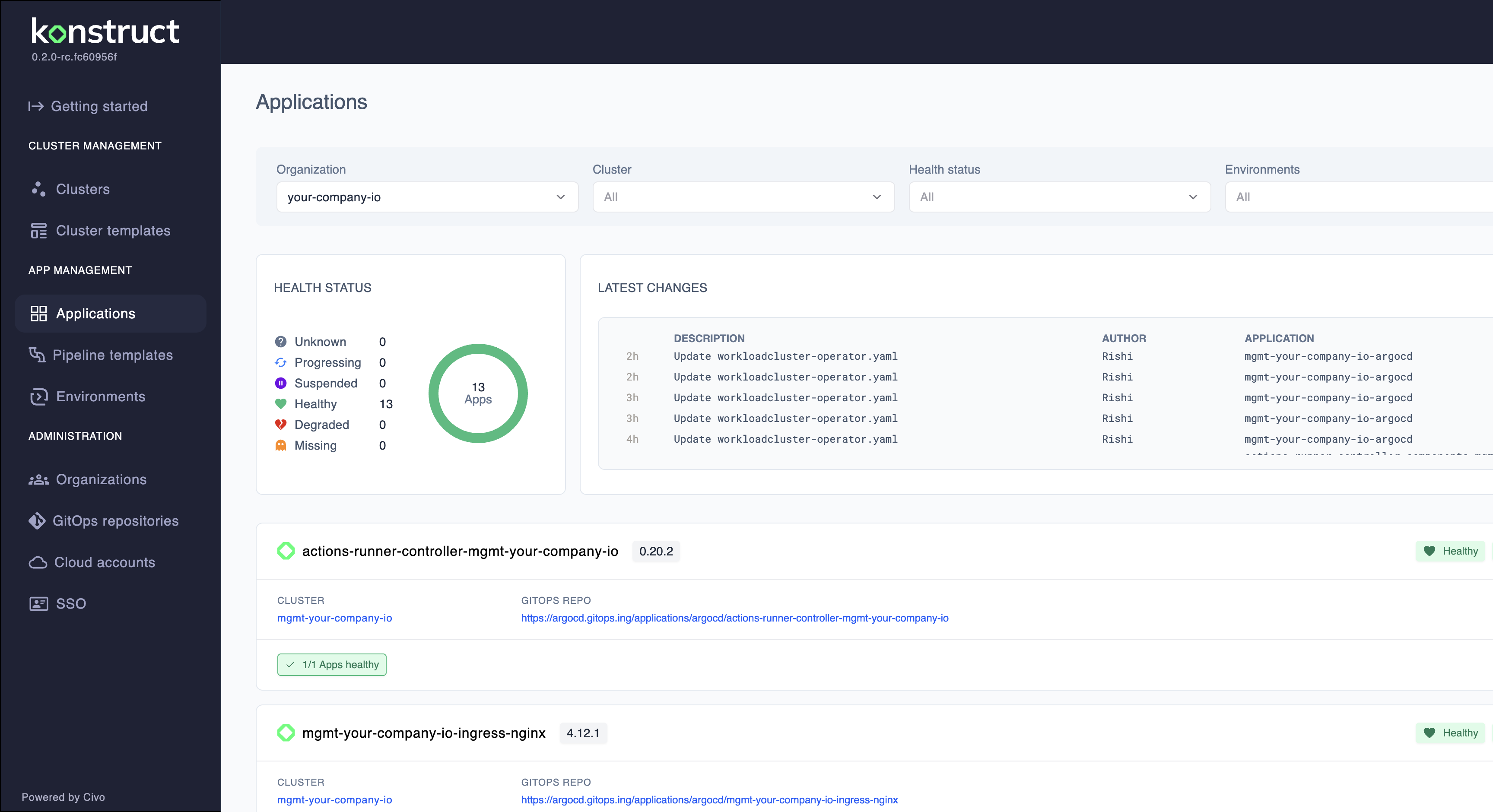
The dashboard gives you instant visibility into:
- Application health status - Real-time monitoring of application health
- Sync status - Whether applications are synchronized with their Git repository definitions
- Operational deeplinks - Direct links to application details in ArgoCD and other platform tools
Filtering by Cluster
Select a specific Cluster from the dropdown to view applications deployed to that cluster. This is useful for viewing workload cluster-specific applications separate from management cluster infrastructure.
When you select a workload cluster, the view updates to show only applications deployed to that cluster, making it easy to:
- Monitor applications for a specific environment
- Troubleshoot issues on a particular cluster
- Review deployment status for workload-specific services
Application Information
Each application displays:
- Name - The application identifier in ArgoCD
- Namespace - The Kubernetes namespace where the application is deployed
- Cluster - Target cluster for the deployment
- Repository - Source Git repository containing the application manifests
Status Indicators
Applications display two primary status indicators:
Health Status
Healthy- All application resources are running as expectedProgressing- Application is being deployed or updatedDegraded- Some resources are experiencing issuesUnknown- Health status cannot be determined
Sync Status
Synced- Application matches its Git repository definitionOutOfSync- Differences detected between deployed and Git statesUnknown- Sync status cannot be determined
Monitoring Applications
Regular health checks ensure reliability:
- Review sync status regularly to catch configuration drift
- Use health checks in your application definitions
- Monitor resource usage to prevent capacity issues
- Set up alerts for critical application health changes