Create an Environment
Create environments to define deployment targets for your applications.
Summary
This guide walks you through creating a new environment in Konstruct. Environments are used to separate deployments across different stages like development, staging, and production.
Prerequisites
- Platform Admin or Team Admin role
- Access to the Konstruct UI
- An organization already created
Create Environment
-
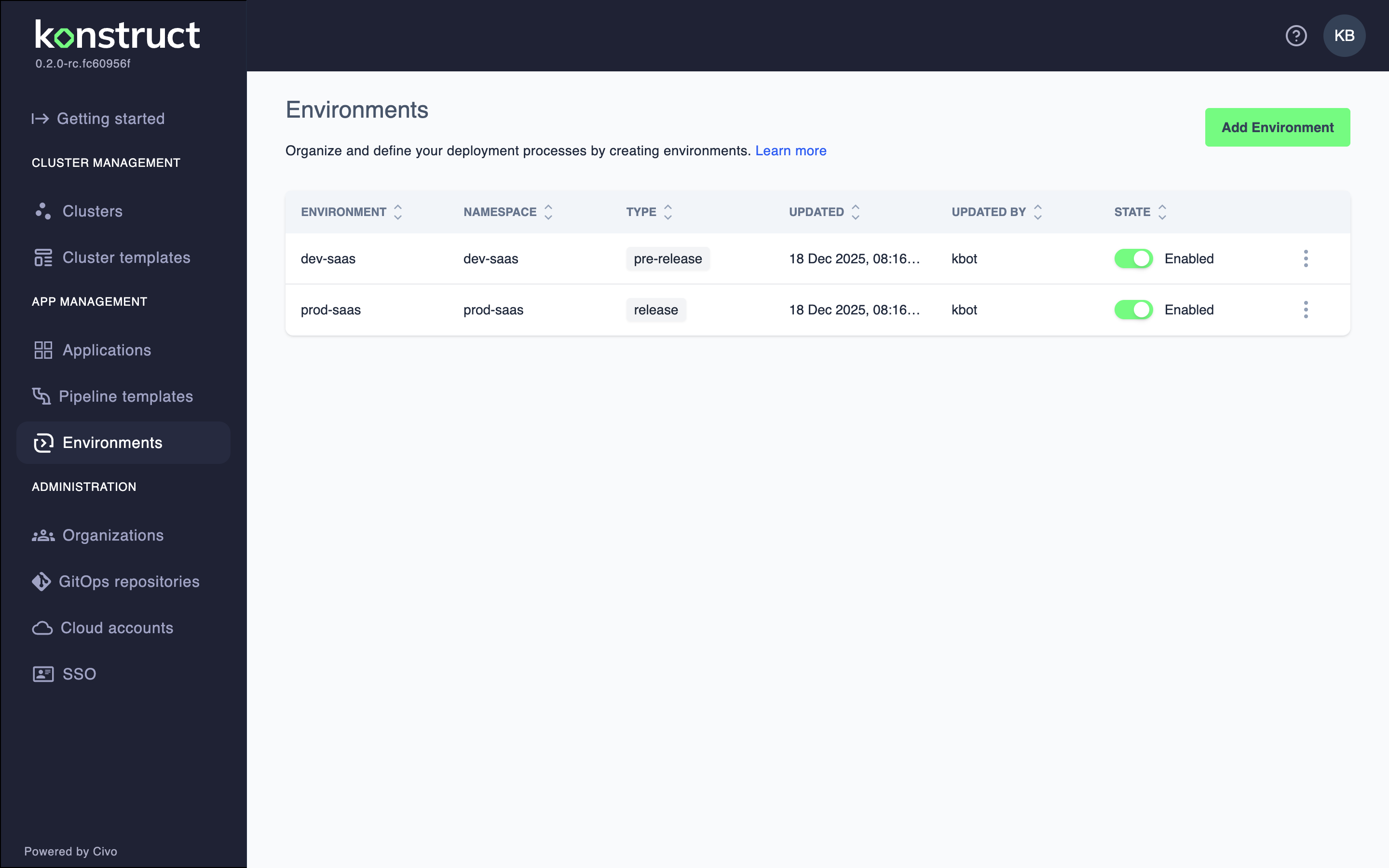
Navigate to Environments in the left sidebar
-
Click Add Environment
Auto-Generated Screenshot
This image is automatically generated from Cypress tests.
- Enter the environment details:
Auto-Generated Screenshot
This image is automatically generated from Cypress tests.
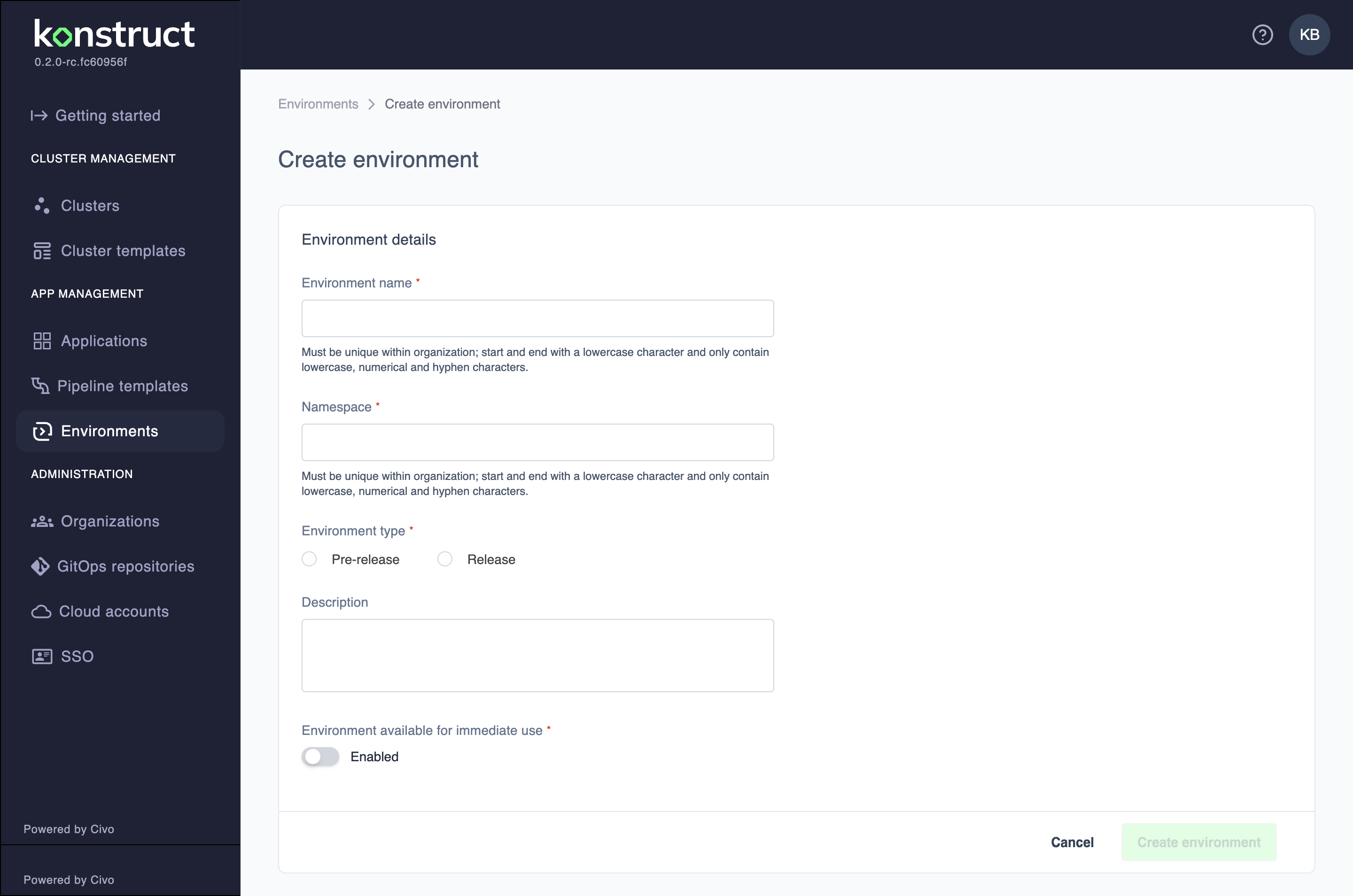
- Environment name: A unique name for your environment (must be unique within organization; start and end with lowercase character and only contain lowercase, numerical and hyphen characters)
- Namespace: Must be unique within organization (same naming rules as environment name)
- Environment type: Select either Pre-release or Release
- Description: Optional description of the environment's purpose
-
Configure environment availability:
- Environment available for immediate use: Toggle to enable/disable the environment immediately
-
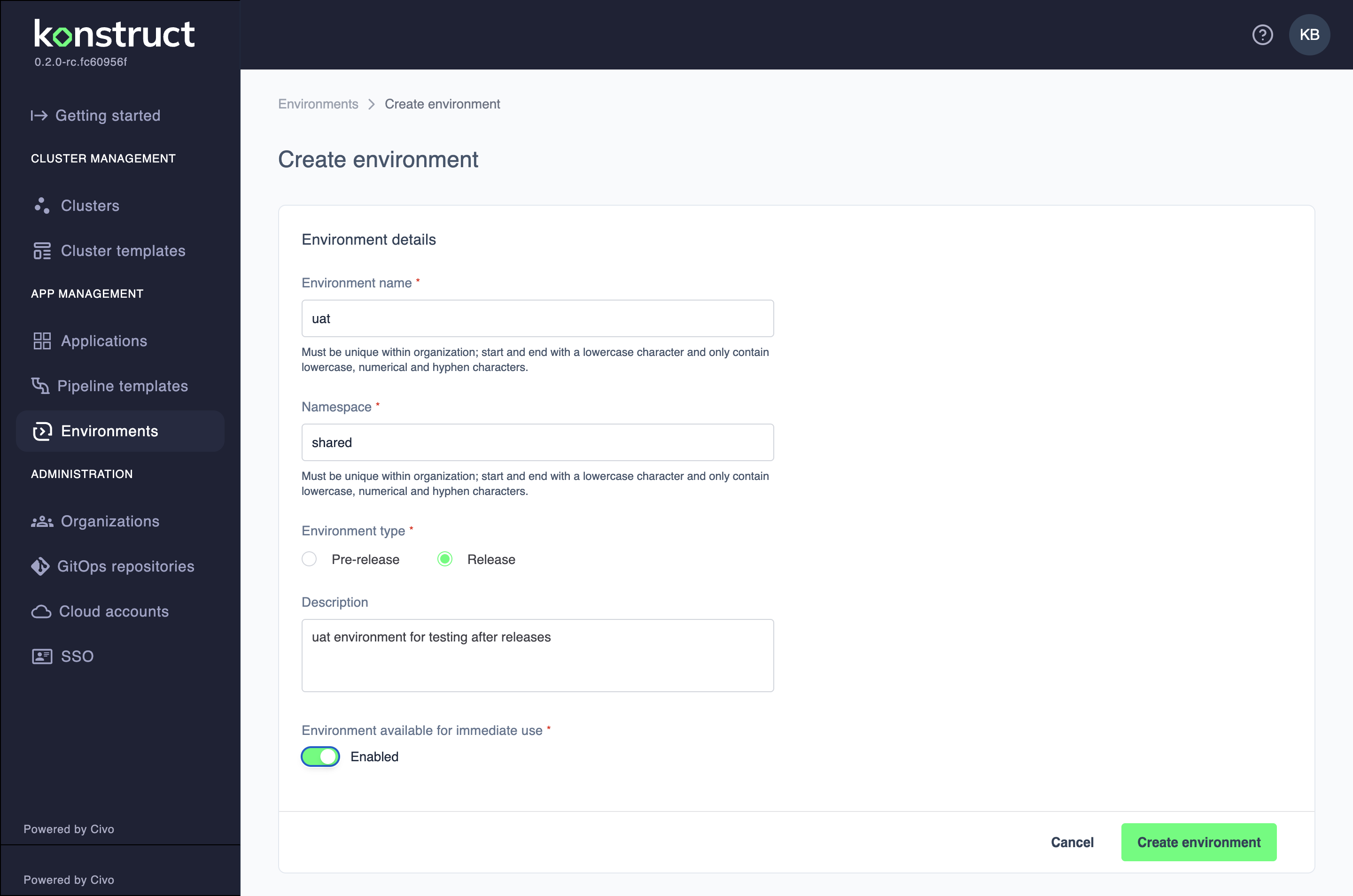
Click Create environment
Auto-Generated Screenshot
This image is automatically generated from Cypress tests.
Important Notes
- Environment names are permanently unique within your organization
- You cannot rename an environment after creation
- All team members can view environments in their organization
What's Next?
- Register applications to deploy to this environment
- Learn about pipeline templates