Template and Module versioning
There are many versioned layers at play on the Konstruct platform and it's important to have a working understanding of how to negotiate them in order to organize and promote changes to your fleets effectively.
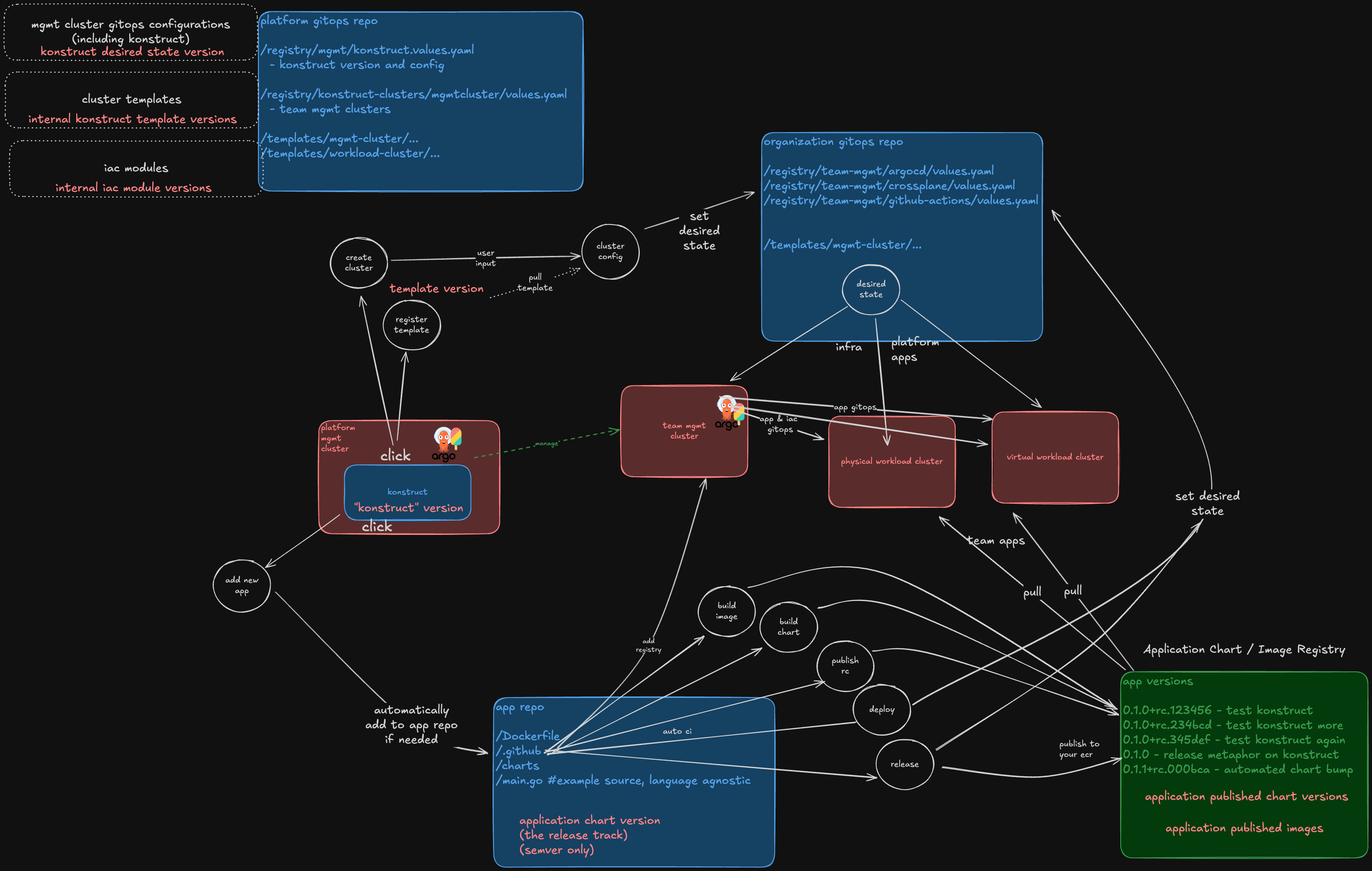
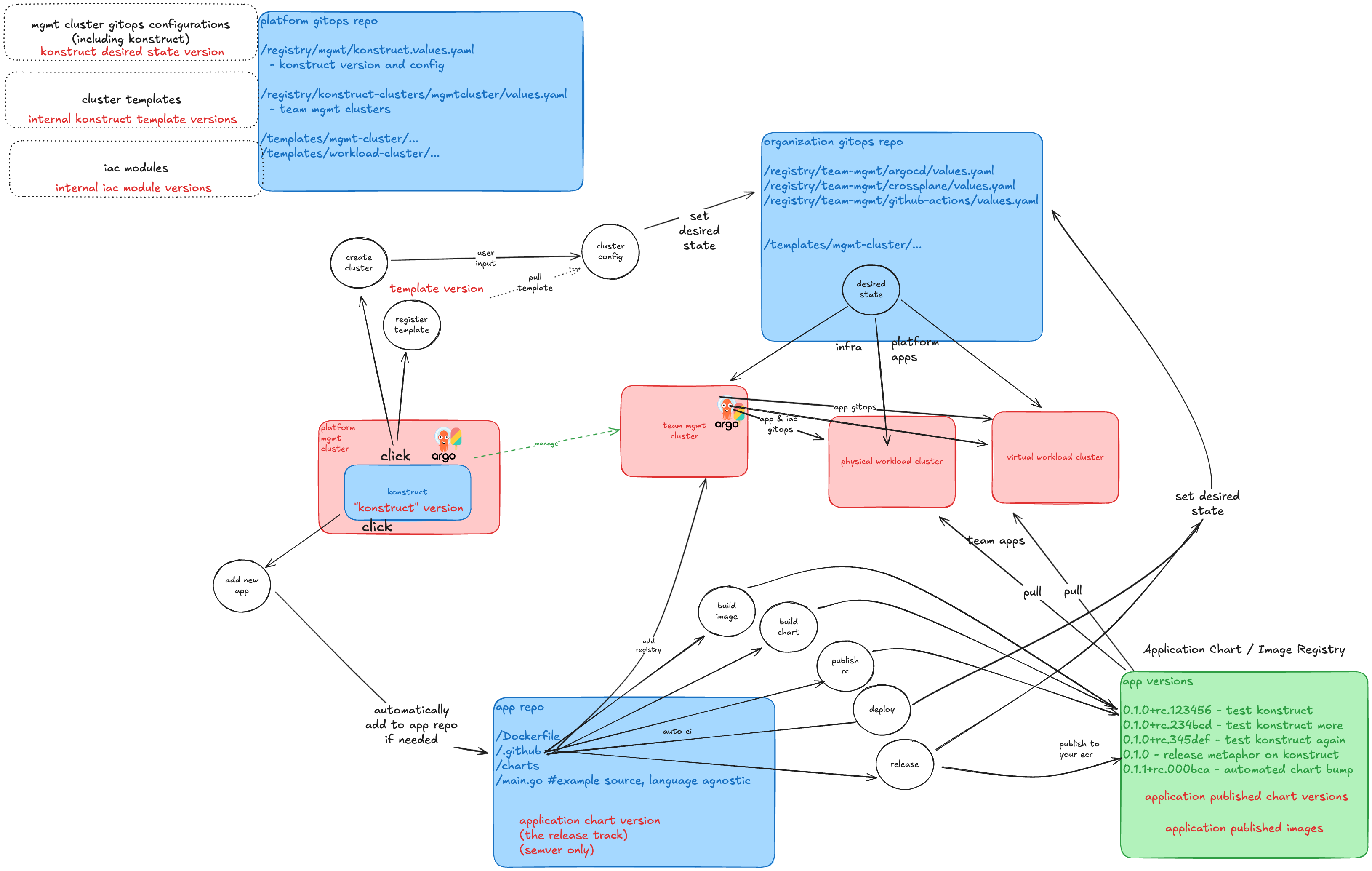
This guide will help you understand how to customize Konstruct to your needs and how to manage and promote changes throughout your organizations.
What this guide will cover
Setup
- Fork the konstruct-templates repo
- Move the EKS terraform module into a standalone git repo
- Register the new 0.1 module with a custom workload template Provision from custom templates
- Create a new workload cluster using your new 0.1 template Promote a change to your cluster templates
- Add a new application to the workload cluster template modeling
Prerequesites
In order to walk through this guide, you must be granted the Platform Admin role on Konstruct, or you must have a platform administrator conduct certain actions on your behalf.
You will need to create, branch, and tag git repositories and update the content their main branch.
Step 1: Create and clone your konstruct-templates fork
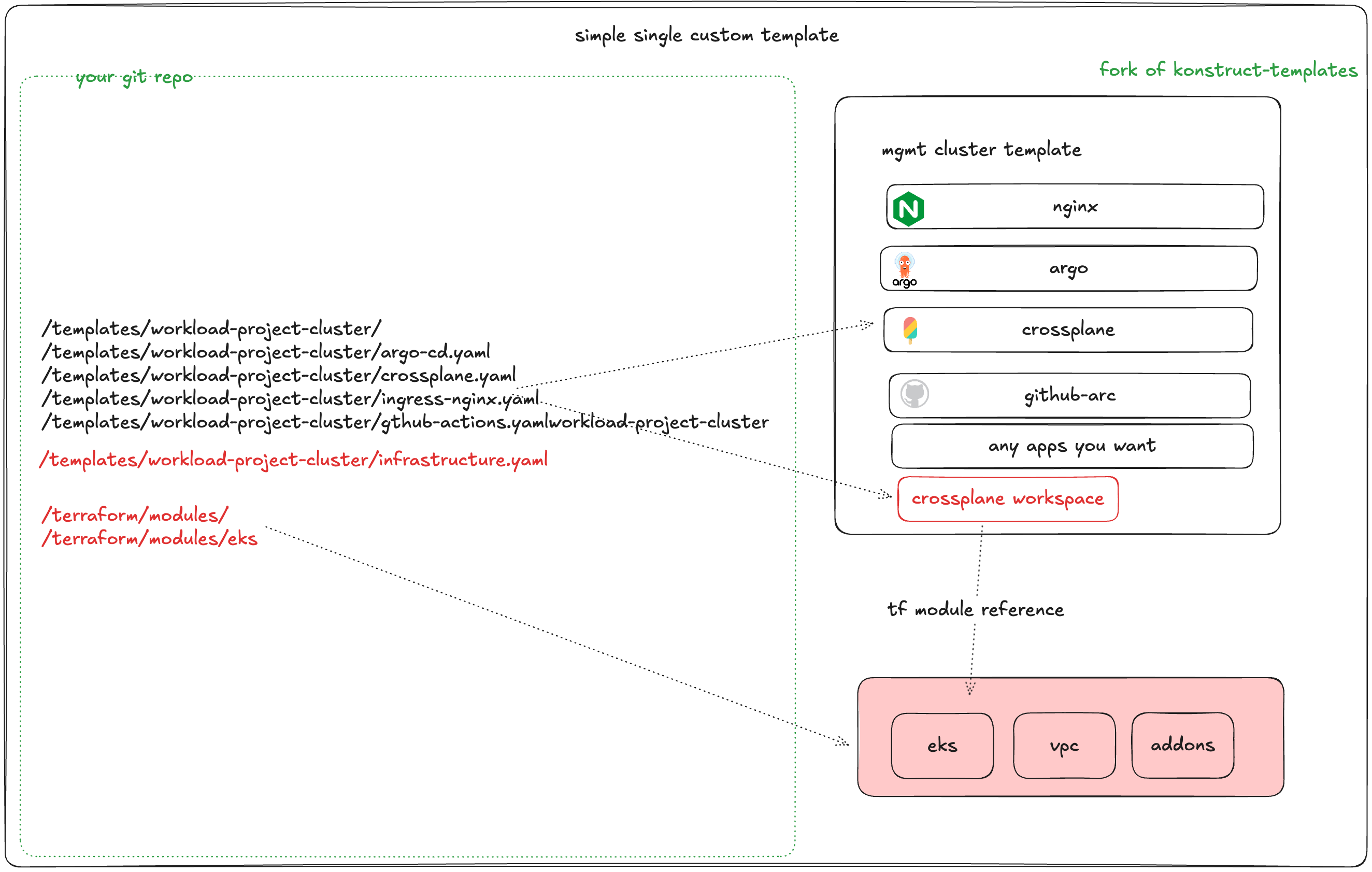
The fastest way to create a custom templates is to start from ours. Fork our konstruct-templates repo into your organization or personal account.
To fork our repo navigate to konstruct-templates. Be sure you're signed into GitHub, and then click the Fork button near the top-right of the page.
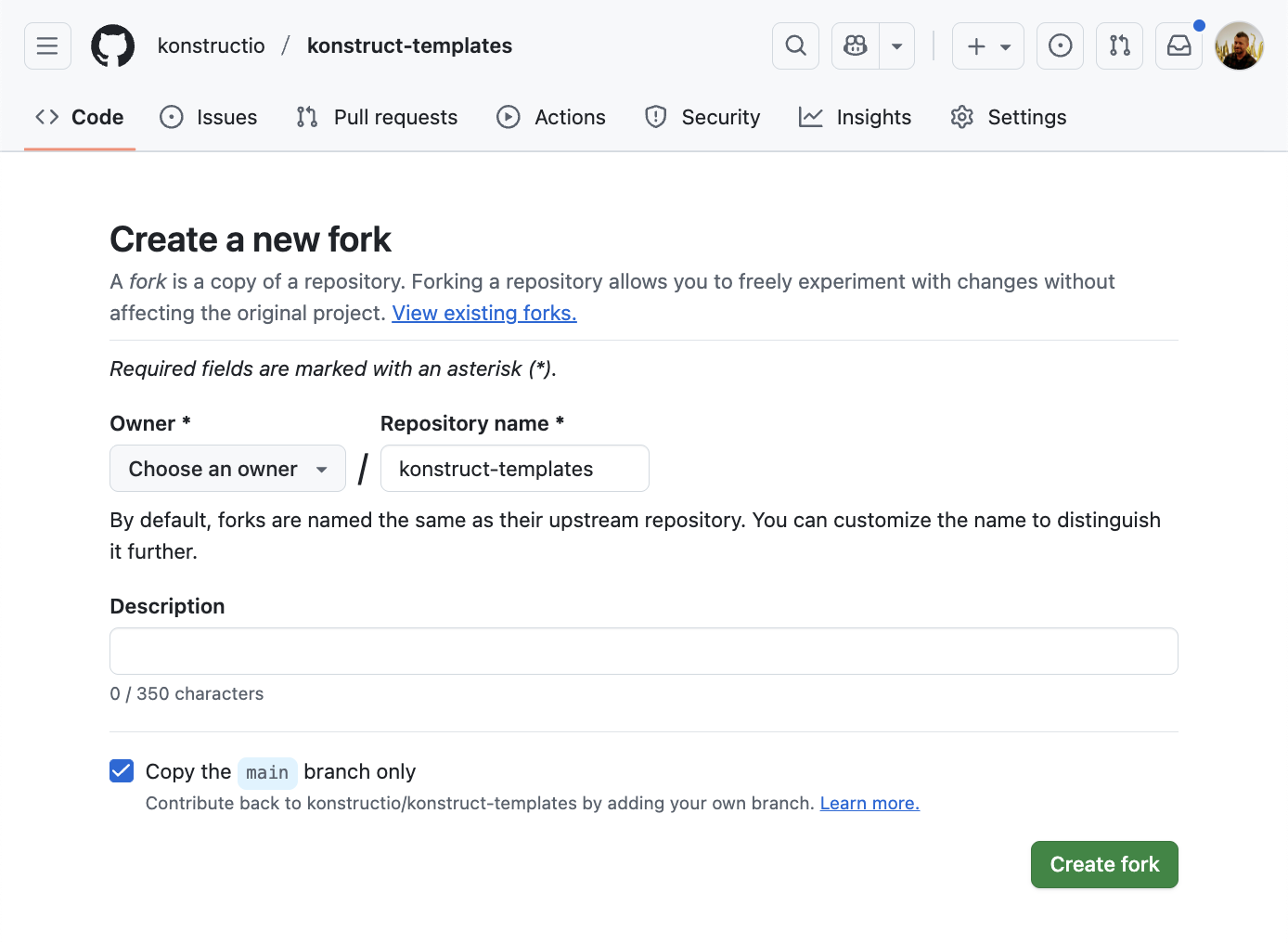
Select your organization that will host your new konstruct-templates repo. Keep the repo name as konstruct-templates and choose the main branch for the fork. When you create the forked konstruct-templates repo, it includs a monorepo of cluster templates and some IaC modules.
Next clone your new repository so you have it locally
git clone git@github.com:REPLACE-WITH-YOUR-GITHUB-ORG/konstruct-templates.git
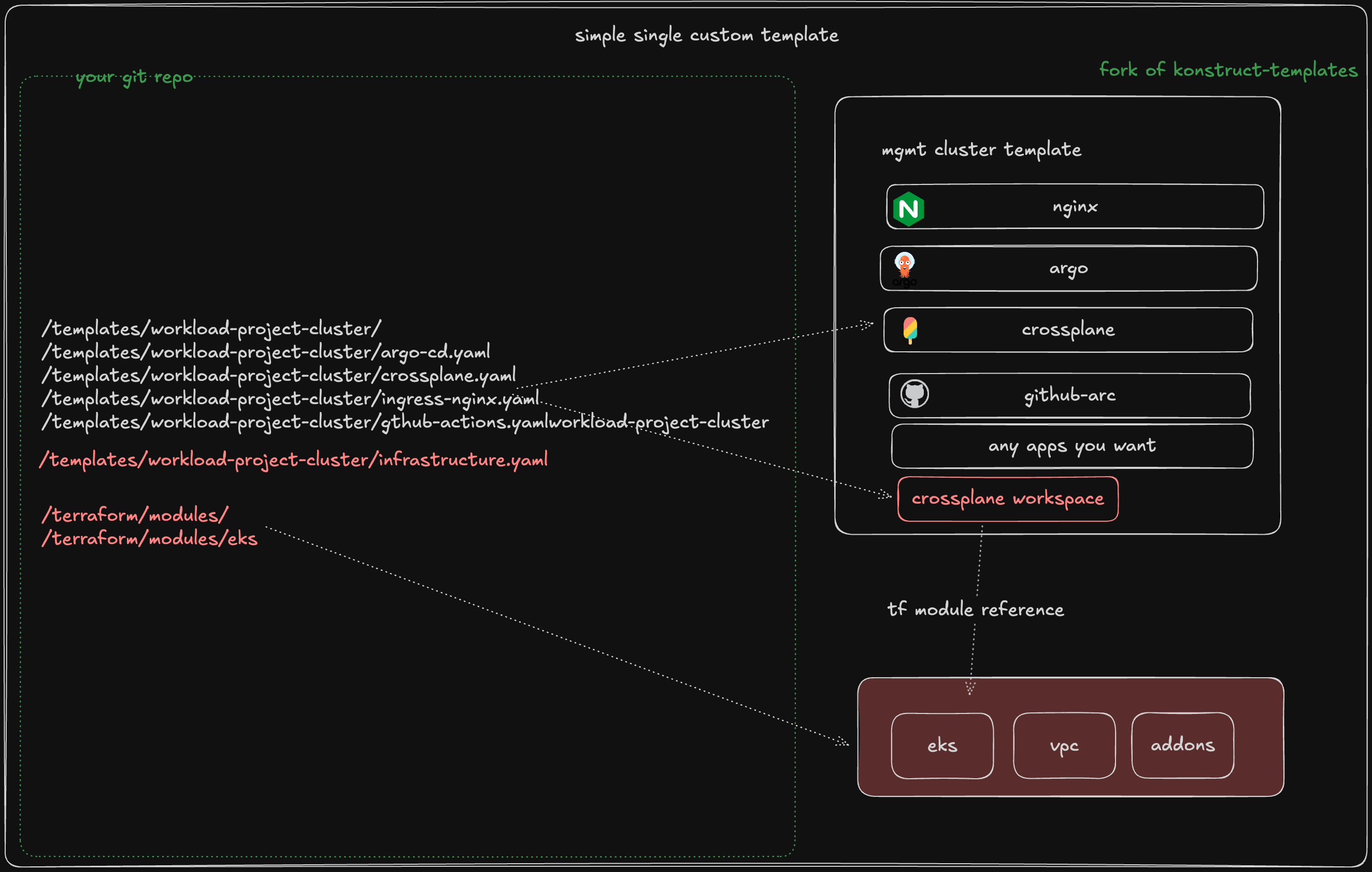
Step 2: Create a new terraform-eks-modules repo
Next Create a new empty repository in your same org and call it aws-iac-modules. Do not initialize with a readme when you create. The repo name that you choose is not actually important to the platform, but we'll call it aws-iac-modules throught the remainder of the guide and it will show up in some commands.
create a new local directory and change directories to it
mkdir aws-iac-modules
cd aws-iac-modules
Next initialize your new empty repository in a terminal by running the following (replacing REPLACE-WITH-YOUR-GITHUB-ORG with your github org name)
echo "# aws-iac-modules" >> README.md
git init
git add README.md
git commit -m "first commit"
git branch -M main
git remote add origin git@github.com:REPLACE-WITH-YOUR-GITHUB-ORG/aws-iac-modules.git
git push -u origin main
Step 3: Moving your IAC out
So now you have a local copy of both of your new repos. konstruct-templates is just like the konstruct upstream, and aws-iac-modules only has a repo readme pushed to it so far.
In the next step, we're pull your IAC out into the aws-iac-modules repo. That will allow you to version your IAC modules as releases/tags in git, which is an IaC best practice that many will prefer once you begin managing your own cluster templates.
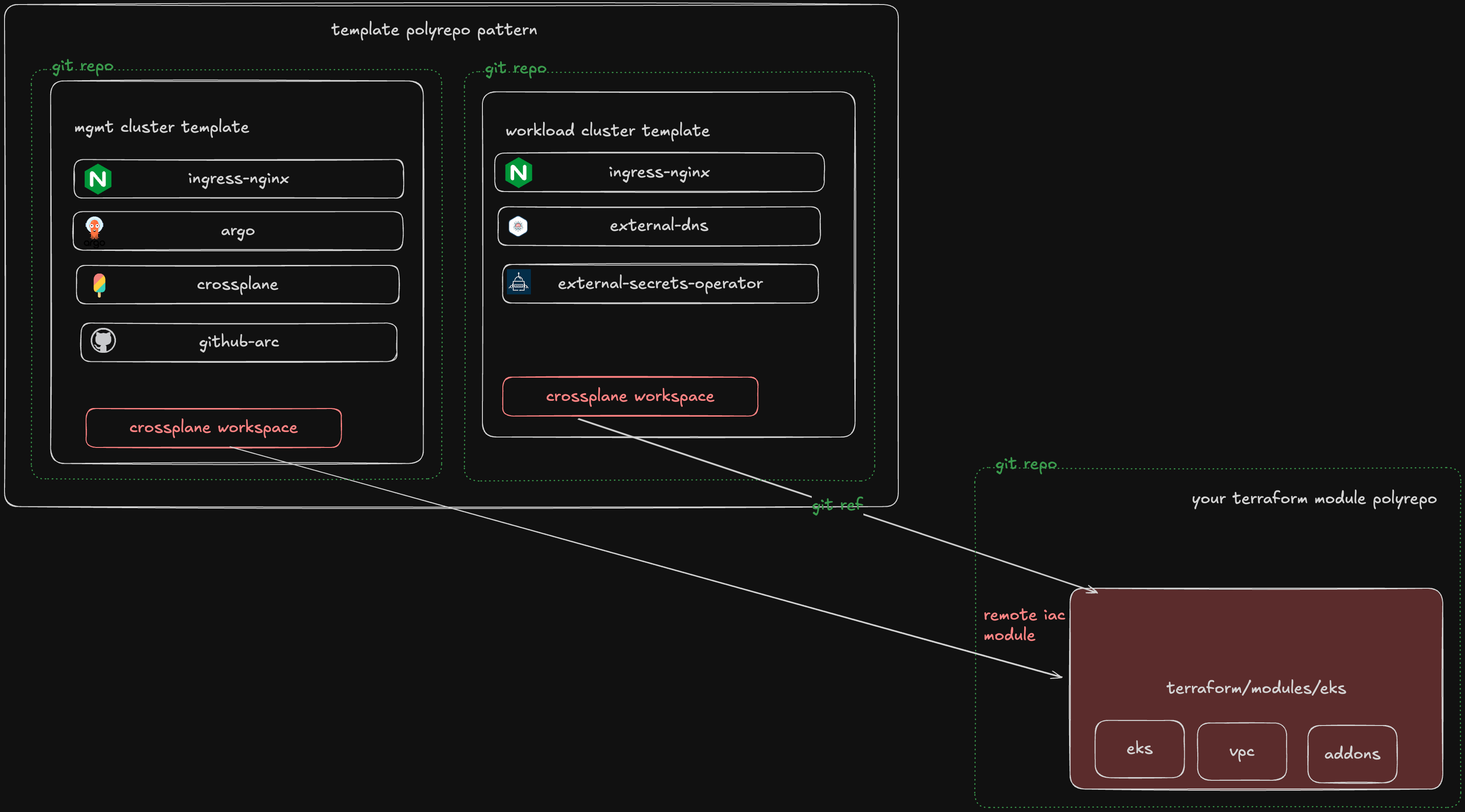
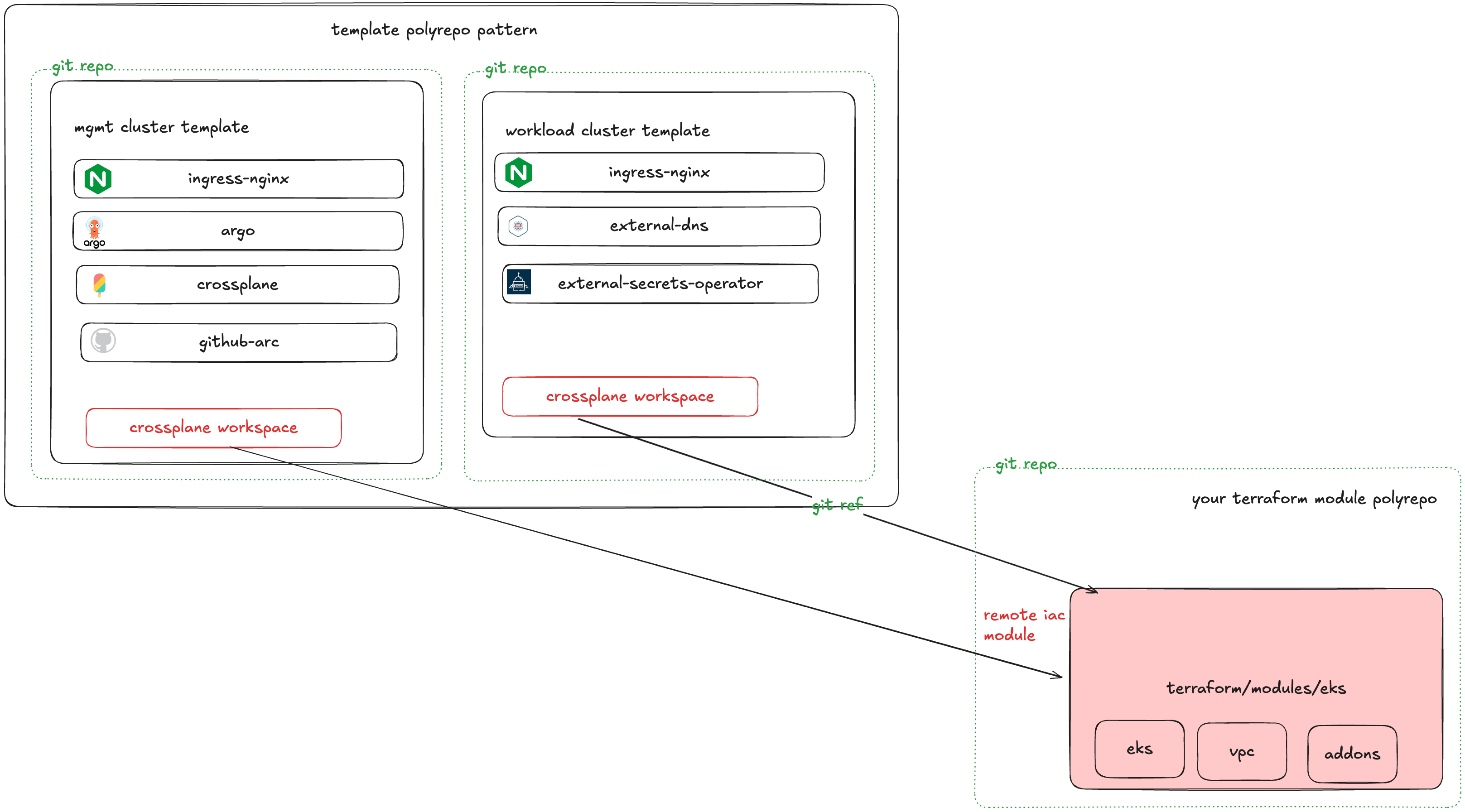
In your same terminal from the last step, cd to your parent directory
cd ..
Copy your repo content from the konstruct-templates repo to the aws-iac-modules repo.
cp -r ./konstruct-templates/* aws-iac-modules
Step 4: Remove the unused forked stuff
Next we're going to delete all of the IaC from konstruct-templates.
rm -rf konstruct-templates/terraform
We're also going to delete the clusters except the workload cluster module from aws-iac-modules
rm -rf aws-iac-modules/templates
Step 5: Push your changes and tag your IaC
Push your konstruct-template changes up
cd konstruct-templates
git add .
git commit -m "removing iac from cluster template repos"
git push
cd ..
Push your aws-iac-modules changes up
cd aws-iac-modules
git add .
git commit -m "establishing custom cluster iac modules"
git tag -a v0.1.0 -m "Intro version 0.1.0"
git push
git push --tags
cd ..
You can check to make sure your new 0.1.0 tag is available in the Tags section of your aws-iac-modules repo in GitHub.
Step 6: Adopt your IaC tag in your custom workload template
Now that we have a terraform module that we can pin against, let's update your workload cluster template.
Navigate to your konstruct-repo's file located at templates/workload-downstream-cluster/infrastructure/workspace.yaml. This is your workload cluster template for physical EKS clusters. Let's change update its module to your new remote module as shown here.
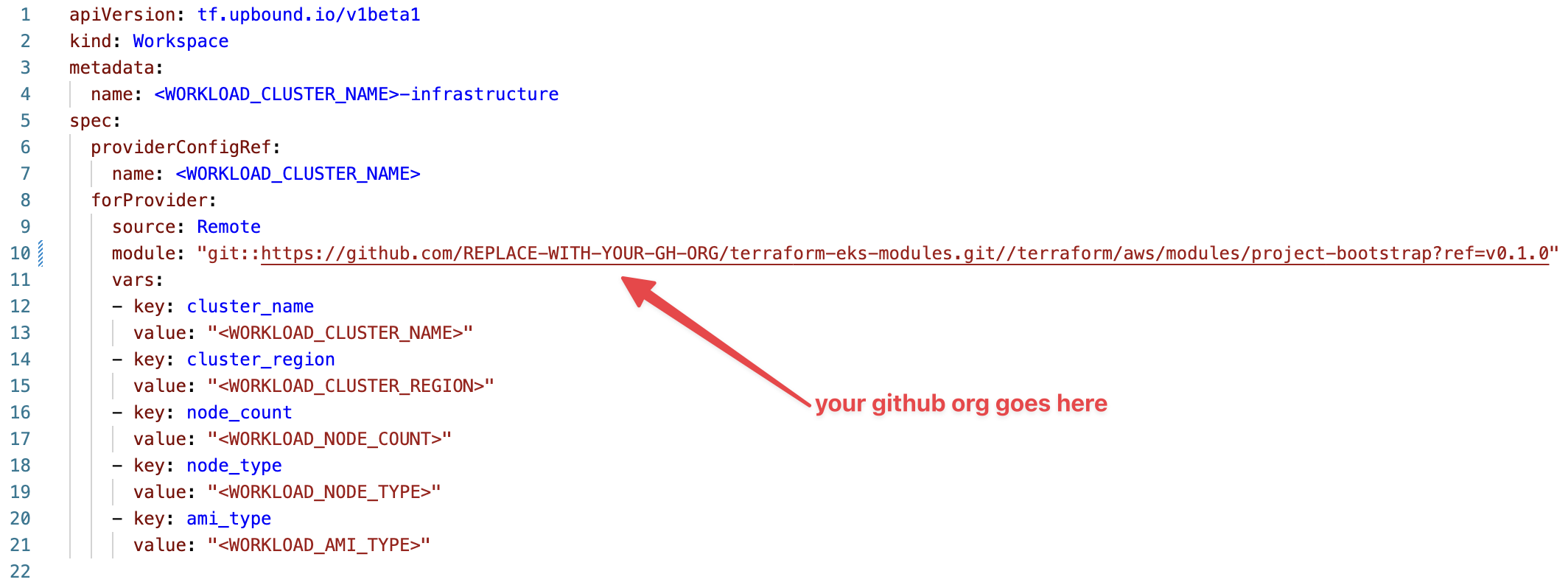
This assumes you used v0.1.0 as the tag in the previous step, adjust accordingly. For more information on the format of a remote terraform module, please see this guide.
Step 7: Register your new cluster template
Now that you've created your own cluster template, let's navigate to the Cluster Templates section of your Konstruct instance to register it with the platform.
Click Create Template.
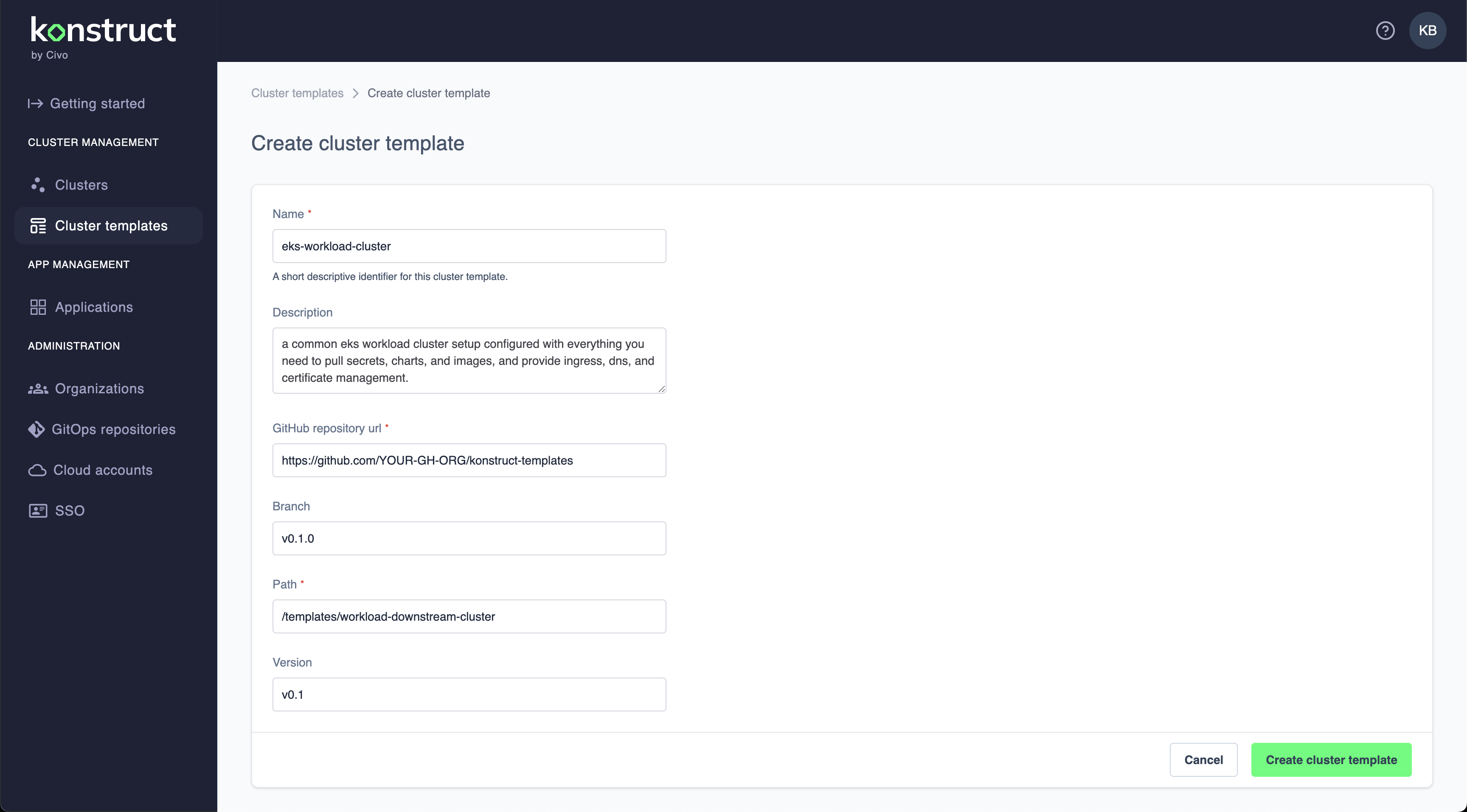
Click Create cluster template, and now let's go use it.
Step 8: Use your new cluster template and IaC module repos
Now that you've registered your template, let's navigate to the Clusters section.
Click Add workload cluster and choose Custom template.
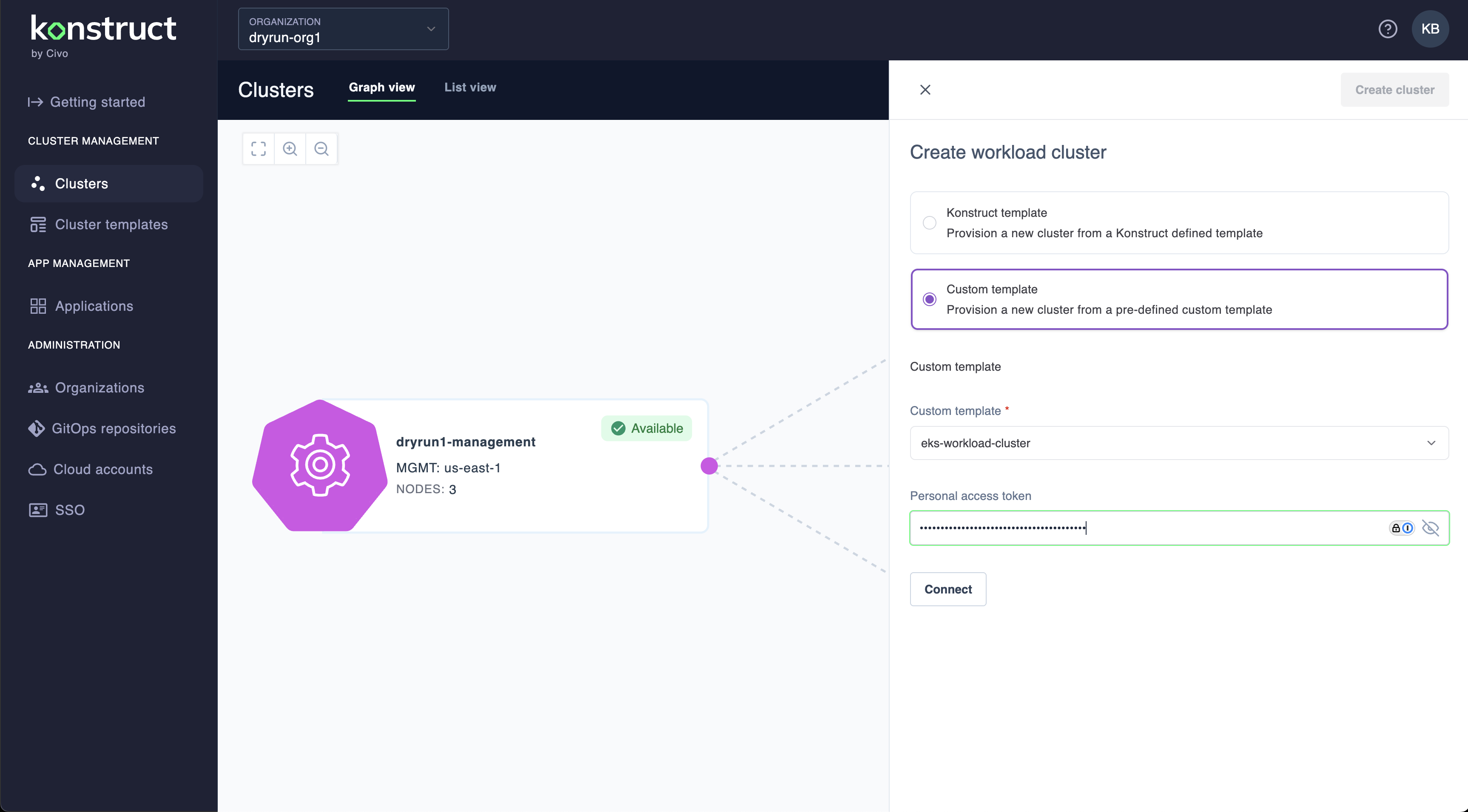
Select your custom template, entering your GitHub personal access token to connect if you have kept your new repository private.
When you create your new EKS cluster, it will use your custom template, which even depends upon your new custom terraform module. Look at you go.
Summary
We've done a lot through this guide. You've now forked our upstream cluster templates giving you a space for your own cluster opinions to begin. We've split out the terraform into its own module repository, tagged a version, and have adopted it in your cluster template. You've then registered your new cluster template with Konstruct and it's creating your workload cluster with your opinions in it instead of ours.