Application Management
Application Dashboard
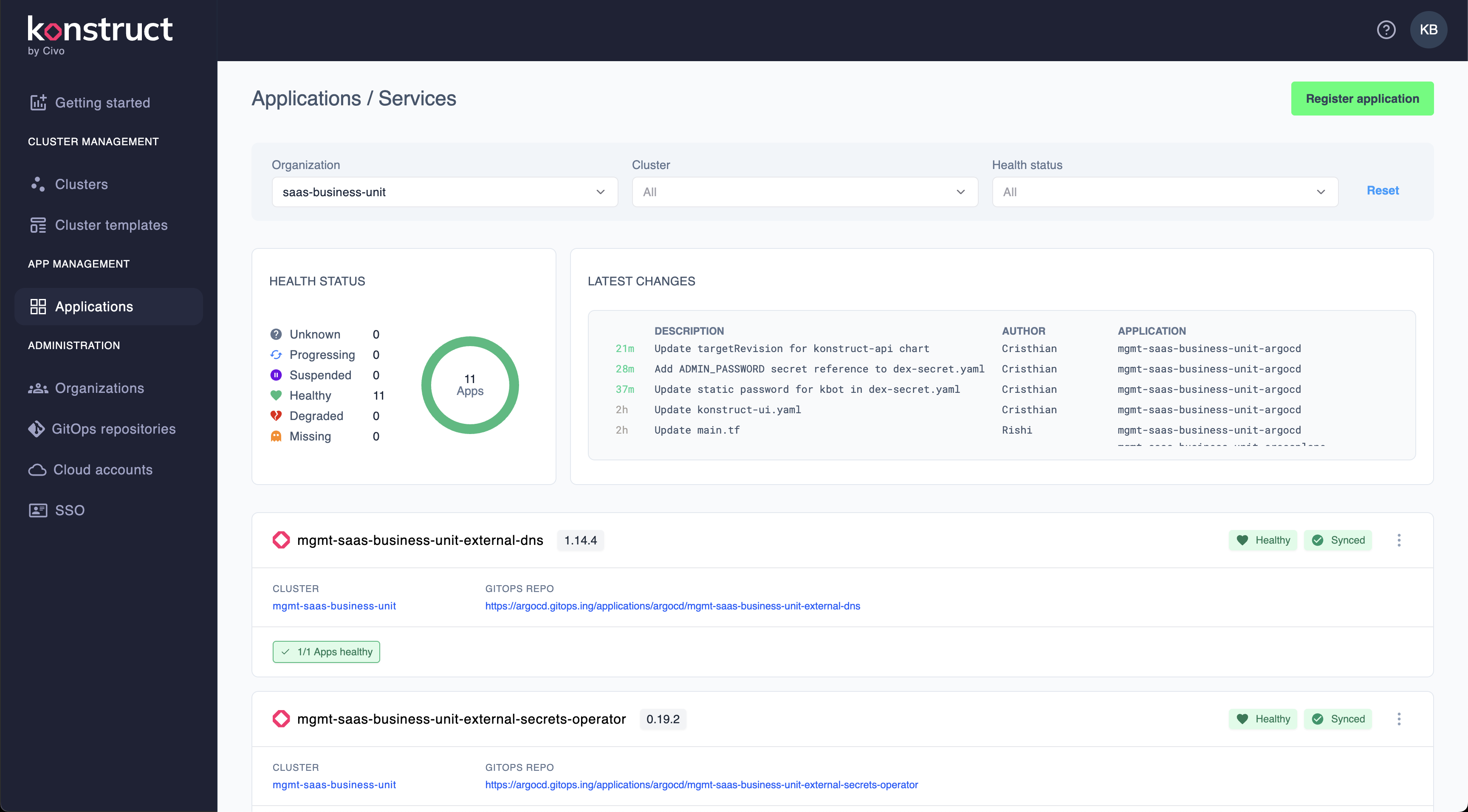
The application dashboard is a centralized displays of all applications managed through your GitOps workflow, giving you instant visibility into:
- Application health status - Real-time monitoring of application health
- Sync status - Whether applications are synchronized with their Git repository definitions
- Operational deeplinks - Direct links to all the key application details and management on the platform tools
Application Information
- Name - The application identifier in Argo CD
- Namespace - The Kubernetes namespace where the application is deployed
- Cluster - Target cluster for the deployment
- Repository - Source Git repository containing the application manifests
Status Indicators
Applications display two primary status indicators:
-
Health Status 🟢
Healthy- All application resources are running as expectedProgressing- Application is being deployed or updatedDegraded- Some resources are experiencing issuesUnknown- Health status cannot be determined
-
Sync Status 🔄
Synced- Application matches its Git repository definitionOutOfSync- Differences detected between deployed and Git statesUnknown- Sync status cannot be determined
Working with Applications
Application Health
The health badge provides quick visual feedback:
✅ Healthy - Everything is running smoothly
⚠️  Progressing - Deployment in progress
❌ Degraded - Attention required
❓ Unknown - Status check pending
Monitoring Application Health
Regular health checks ensure reliability:
- Set up alerts for critical application health changes
- Review sync status regularly to catch configuration drift
- Use health checks in your application definitions
- Monitor resource usage to prevent capacity issues
Need help managing your applications? Reach out to our community.